Aeration Mixer Inlet Protection: What Actually Keeps Debris Out of Your System
The inlet is the weakest link on every aeration mixer. It sits right there, open to the flow, sucking in everything the tank throws at it — rags, plastic fragments, grease globs, sand, hair, sludge chunks. One clog and your mixer starves for air. Oxygen transfer drops. Bacteria die. Effluent quality tanks. Then you pull the unit out, clean it, and put it back in — only for it to clog again in three weeks because nobody fixed the real problem.
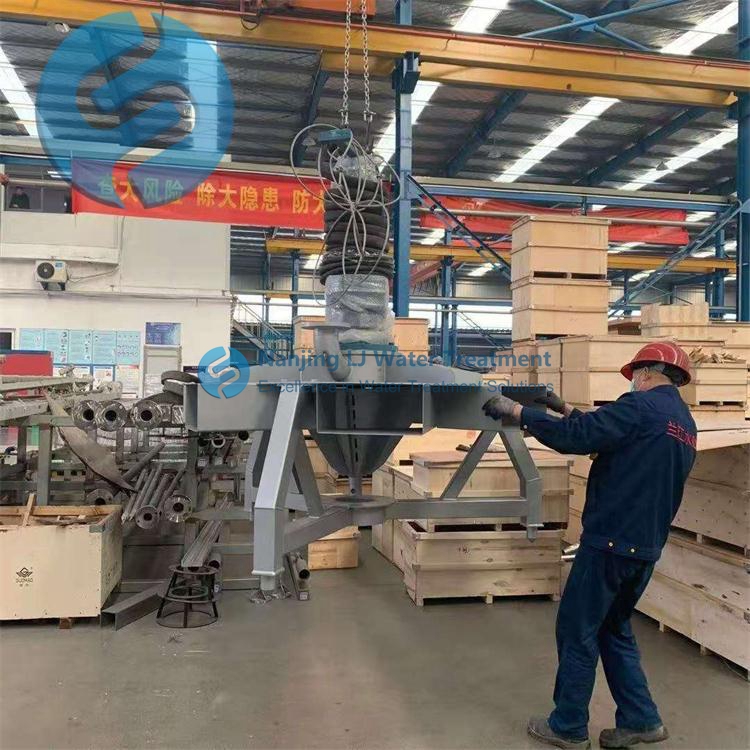
The fix is not cleaning more often. The fix is protecting the inlet properly from day one. This article covers the actual protection measures that working plants use to keep their mixer inlets clean for years.
Why Inlet Protection Fails So Often
Most installers treat the inlet as an afterthought. They weld a screen on, bolt it shut, and move on. Six months later, the screen is caked with sludge, the flow is restricted by 40%, and the mixer is running at half capacity.
The root cause is almost always one of three things. First, the screen mesh is too fine. Fine mesh catches everything — including the stuff you actually want to pass through. It clogs fast and creates backpressure that reduces air flow. Second, the screen is mounted flat against the flow. Flat screens create a dead zone right in front of the inlet where debris settles and never gets flushed away. Third, there is no access for cleaning. The screen is buried under a grate or welded into a pipe with no way to reach it without pulling the whole mixer out.
Get any one of these wrong and the protection becomes the problem.
Screen Mesh Selection and Sizing Rules
Mesh Opening Size Matters More Than Material
The mesh opening is the single most important spec on the screen. Too small and you clog in days. Too large and debris passes through and damages the impeller or blocks the internal air passages.
For most aeration mixers handling municipal wastewater, the sweet spot is 6 mm to 10 mm opening. This catches rags, plastic fragments, and large sludge chunks while letting water and fine particles pass freely.
For industrial wastewater with heavy suspended solids, go up to 12 mm to 15 mm. The larger opening handles the extra load without clogging, but you need a secondary filtration stage downstream to catch the finer material.
Never go below 4 mm. A 3 mm screen will clog within 48 hours in any tank with more than 200 mg/L of suspended solids. It does not matter what the screen is made of — the opening size is what controls clogging rate.
Material Choice for Corrosive Environments
Stainless steel 316L is the minimum. Do not use 304 stainless — it pits in wastewater within two years. Do not use carbon steel with a paint coating — the paint peels off in months and the steel rusts through.
For tanks with high chloride content above 500 mg/L, go to duplex stainless steel or super duplex. These alloys resist pitting and crevice corrosion in aggressive wastewater. They cost more upfront but last ten times longer than 316L in the same tank.
Nylon or polyethylene screens are cheap and easy to replace, but they deform under pressure and warp within six months. A warped screen does not seal against the inlet housing, so debris sneaks around the edges. Use polymer screens only as temporary protectors during commissioning — not as permanent installations.
Inlet Housing Design That Prevents Clogging
Angled Inlet vs Straight Inlet
A straight inlet — where the screen sits flat and perpendicular to the flow — is the worst design you can use. Debris hits the screen and slides down into a pile at the bottom. That pile grows until it blocks 60% of the opening. Then backpressure builds and the mixer starves.
An angled inlet solves this. Tilt the screen housing 30° to 45° from vertical, with the open end facing downstream. Gravity pulls debris off the screen and carries it away with the flow. The screen stays clean much longer because nothing settles on it.
The angle also reduces impact force. A straight screen takes the full brunt of the flow velocity. An angled screen deflects most of that energy, which means less vibration on the mounting brackets and longer screen life.
